
“From scratch” sounds scary. Like you need to know coding, servers, or some secret internet language. You don’t. Not anymore.
Creating a WordPress website today is more about decisions than technical skills. Pick the right tools. Click the right buttons. Don’t overthink it. Let’s walk through the whole thing. Step by step.
Step 1: Choose a Domain Name and Hosting
Everything starts here. Your domain name is your website’s address. Keep it short. Easy to spell. Easy to remember. If people have to think twice, it’s probably not a great choice.
Now hosting. This is where your website lives on the internet. For beginners, shared hosting is fine. You don’t need anything fancy on day one.
Most hosting providers offer one-click WordPress installation. That’s what you want. It saves time and avoids headaches. Once you buy hosting, you’ll usually get login details for your hosting panel. This is where WordPress gets installed.
Step 2: Install WordPress
If your host offers one-click install, use it. Seriously. Select WordPress, enter your site name, create a username and password, and hit install.
After installation, you can access your website dashboard by going to:
yourwebsite.com/wp-admin
This dashboard is your control center. It might look overwhelming at first. That’s normal. You’ll get used to it faster than you think.
Step 3: Pick a Theme
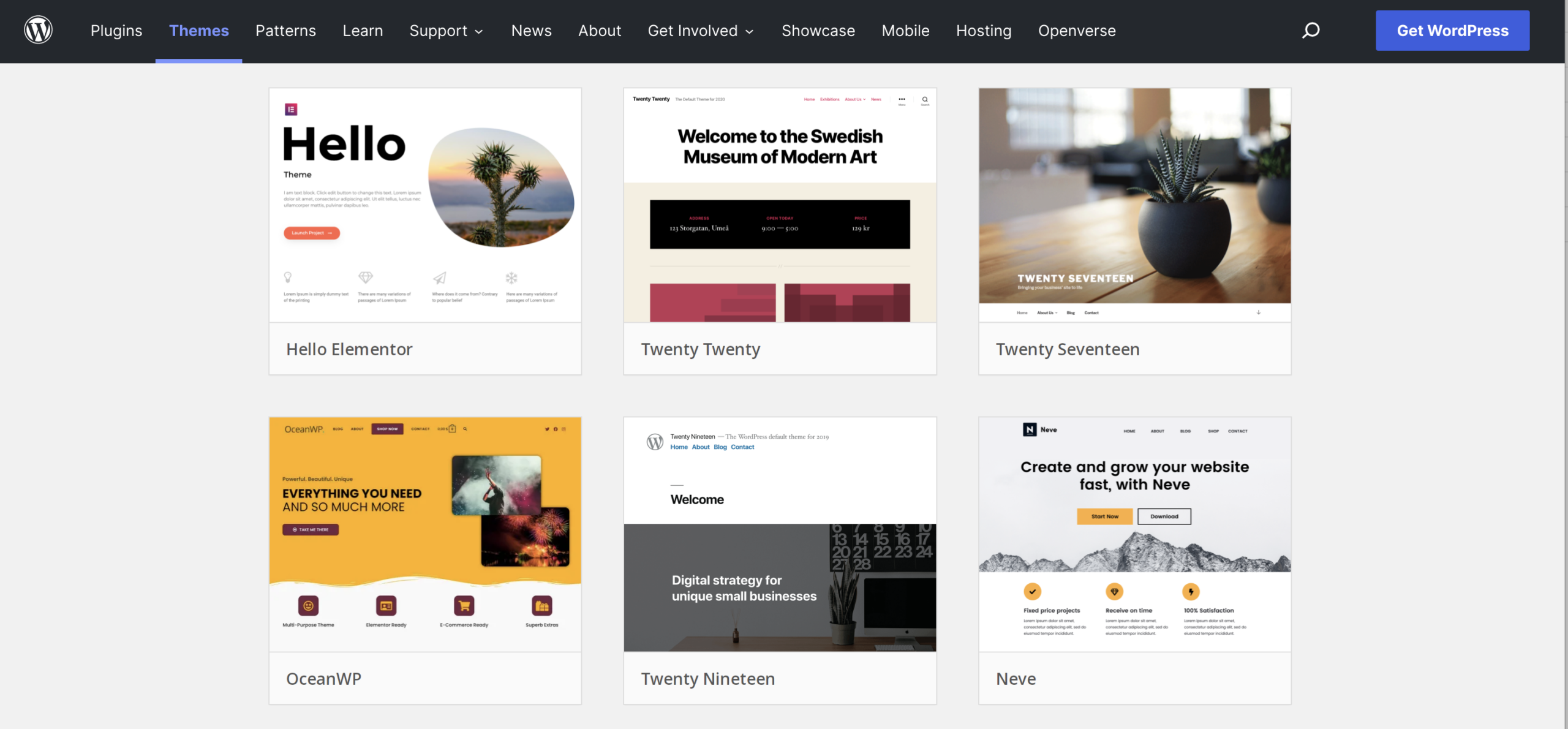
A theme controls how your website looks.
Go to Appearance → Themes → Add New. You’ll see thousands of free options. Don’t scroll forever. Pick something clean and simple.
Lightweight themes are usually better. Faster loading. Easier to customize. Install the theme. Activate it. You can always change it later. Nothing breaks.
Step 4: Customize Your Website
Now the fun part.
Go to Appearance → Customize. This is where you change colors, fonts, logo, header, and homepage layout.
Take your time here. Small changes make a big difference.
Create your basic pages next:
- Home
- About
- Services or Products
- Contact
Go to Pages → Add New, write your content, and publish. Don’t worry about perfection. You can edit anytime.
Step 5: Install Essential Plugins

Plugins add features to WordPress. But here’s the deal – more plugins don’t mean a better site.
Start with the basics:
- SEO plugin
- Security plugin
- Backup plugin
- Caching/performance plugin
Install only what you actually need. Too many plugins slow things down.
You can add plugins under Plugins → Add New.
Step 6: Set Up Menus and Navigation
A good website is easy to move around.
Go to Appearance → Menus. Create a main menu. Add your pages. Arrange them in a logical order.
Visitors shouldn’t have to hunt for information. If they do, they’ll leave. Simple as that.
Step 7: Make It Mobile-Friendly
Most visitors will view your site on their phones. That’s just reality now.
Check how your site looks on mobile using the theme customizer or browser tools. If something looks off, adjust it. Good themes handle this well by default. Still worth checking.
Step 8: Launch and Improve
Once everything looks okay, your site is ready to go live. But here’s something people forget – launching isn’t the end. It’s the beginning. Update content. Improve pages. Track what works. Fix what doesn’t.
Websites grow over time. Yours will too. Creating a WordPress website from scratch isn’t about being perfect. It’s about starting.
You’ll learn as you go. Everyone does. Click things. Break small stuff. Fix it. That’s how it works. And once your site is live? You’ve already done the hardest part – starting.