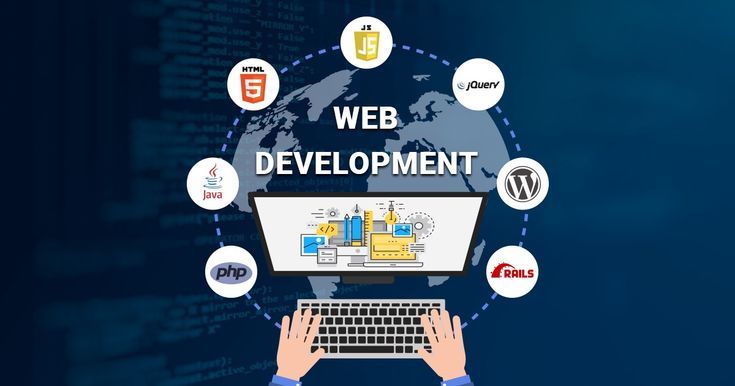
Web development feels overwhelming at first. You search “how to become a web developer” and suddenly you’re buried under words like HTML, CSS, JavaScript, React, APIs, Git, Node, databases and that’s just page one.
So let’s slow it down. Strip the noise. And talk about a realistic roadmap—from someone starting at zero to becoming a full-stack developer. No fancy promises. No “learn in 7 days” nonsense. Just a clear path.
Stage 1: Understand What Web Development Actually Is
Before writing code, understand the game. Web development is about building websites and web apps. That’s it. Some parts handle what users see. Some handle what happens behind the scenes.
Think of it like a restaurant:
- Frontend = menu, tables, décor
- Backend = kitchen, storage, billing system
Full-stack developers know both. You don’t need to decide everything today. Just know this: you’ll start with the frontend.
Stage 2: Learn the Basics (HTML, CSS, JavaScript)
This is where everyone starts. And yes, it matters.
HTML – The Structure
HTML is the skeleton of a website. Headings, paragraphs, buttons, images. Not scary. Just tags.
You’ll learn things like:
- How a webpage is structured
- Forms and inputs
- Links and images
HTML is forgiving. You’ll mess up. The browser won’t judge.
CSS – The Look and Feel
CSS makes things pretty or ugly. It depends on you – how you play with colors, fonts, layouts, and spacing. CSS frustrates beginners. Why is this box moving? Why won’t it center? Welcome to the club. Stick with it.
Focus on:
- Flexbox
- Basic layouts
- Responsive design
You don’t need perfection. You need progress.
JavaScript – The Brain
This is where websites come alive. Buttons that work. Forms that validate. Content that changes without reloading.
Start simple:
- Variables and functions
- Conditions and loops
- Events and basic DOM manipulation
JavaScript feels weird at first. Then it clicks. Suddenly, you feel powerful.
Stage 3: Practice by Building Small Projects
Here’s something people don’t tell you enough.
Tutorials don’t make you a developer. Building does.
Start small:
- A personal portfolio page
- A to-do list
- A calculator
- A simple landing page
They’ll be messy. That’s fine. Every broken layout teaches you more than ten videos.
Stage 4: Version Control with Git and GitHub
This part sounds technical. It’s not that bad. Git helps you track changes. GitHub stores your code online.
You’ll learn:
- How to save versions of your work
- How to undo mistakes
- How developers collaborate
Also, employers expect GitHub even from beginners. So, learn it early.
Stage 5: Frontend Frameworks (React or Similar)
Once JavaScript feels comfortable, it’s time to level up. Frameworks make building complex apps easier. React is the most popular choice right now.
You’ll learn:
- Components
- State and props
- How large apps are structured
This part feels confusing at first. That’s normal. Don’t rush it. And no, you don’t need to master every framework. One is enough.
Stage 6: Backend Basics (Server, APIs, Databases)
Now we move behind the curtain. Backend development handles:
- User login
- Data storage
- Business logic
Common beginner stack:
- Node.js
- Express
- Basic REST APIs
Then comes databases:
- SQL (like MySQL or PostgreSQL)
- Or NoSQL (like MongoDB)
Start with one. Just one. Learn how data is stored, retrieved, and updated. That’s the core.
Stage 7: Full-Stack Projects (Where It All Connects)
This is the fun part. And the frustrating part.
You’ll build apps that include:
- Frontend interface
- Backend logic
- Database storage
Examples:
- Blog platform
- E-commerce mini site
- User login system
Things will break. But this is where everything finally makes sense. Frontend talks to backend. Backend talks to database. You see the whole picture.
Stage 8: Deployment and Real-World Skills
A project on your laptop is nice. A project live on the internet? That’s real.
Learn:
- How to deploy websites
- Basic hosting concepts
- Environment variables
You don’t need to become a DevOps expert. Just enough to go live. Also, start reading other people’s code. It’s uncomfortable. Do it anyway.
Common Beginner Mistakes
Let’s call these out:
- Trying to learn everything at once
- Switching technologies every week
- Avoiding projects because “I’m not ready”
- Comparing your journey to others
Everyone feels behind. Even experienced developers. You’re not slow. You’re learning.
Final Thoughts
Web development isn’t about memorizing code. It’s about problem-solving, googling smartly, breaking things, fixing them, and repeating. Some days, you’ll feel unstoppable. Some days nothing works. Both days count.
Follow the roadmap. Build small. Stay curious. And don’t rush the process. Because going from beginner to full-stack isn’t a sprint. It’s more like a long walk with a lot of coffee along the way.